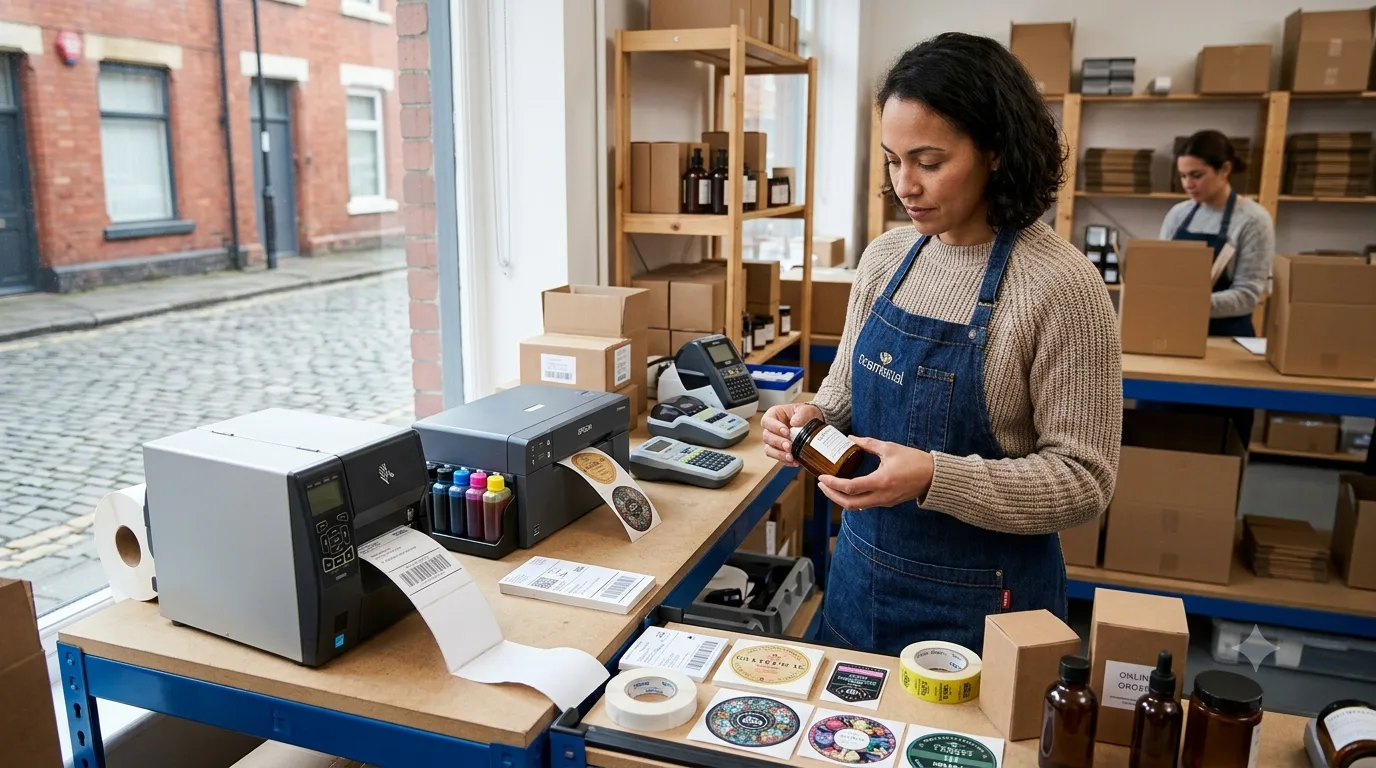
Best Label Printers for Small Businesses in 2026

Choosing the right label printer can make packing orders, organising stock and presenting products considerably easier for a growing business. But the best machine depends on what you actually need to print.
An online retailer may need thousands of straightforward 4 x 6-inch shipping labels, while a food, cosmetics or candle business may need colourful branded product labels.
Offices and warehouses may instead prioritise barcodes, asset labels and durable identification tapes.
The best label printers for small businesses in 2026 therefore range from affordable direct thermal machines to professional colour inkjet printers costing considerably more.
This guide compares 12 current options for UK small businesses based on their printing technology, speed, label size, connectivity and most suitable business use.
Why Label Printers Matter for Small Businesses in 2026?
Label printers have become an important part of day-to-day operations for many small businesses, particularly those involved in eCommerce, retail, food production, warehousing and product packaging.
A dedicated label printer can help businesses create shipping labels, barcodes, price tags, inventory labels and branded product labels more efficiently than relying on a standard office printer.
Thermal models can also reduce ongoing printing costs because they do not require ink or toner.
For businesses handling increasing order volumes, the right label printer can improve packing speed, reduce labelling errors and create a more consistent process across stock management and order fulfilment.
In 2026, small businesses can choose from compact Bluetooth printers for occasional use, high-speed thermal printers for shipping and professional colour inkjet models for branded packaging.
This wider range makes it easier to select a printer that matches both current needs and future business growth.
Top 12 Label Printing Machine for Small Business
1. Brother QL-800 – Best Overall Label Printer for Small Businesses
The Brother QL-800 is a practical starting point for small businesses that need address labels, product identification labels, visitor badges, filing labels or smaller barcode labels.
Key Features:
- Technology: Direct thermal
- Maximum label width: 62mm
- Maximum print width: 58mm
- Print speed: Up to 93 labels per minute
- Resolution: 300 x 300dpi
- Connectivity: USB
- Automatic cutter: Yes
The printer reaches speeds of up to 148mm per second and can also operate in a higher-resolution 300 x 600dpi mode.
Another useful feature is support for compatible Brother black-and-red DK media, allowing businesses to add limited colour without buying a full inkjet label printer.
Why Choose the Brother QL-800?
It is easy to operate, compact enough for a small workspace and does not require ink or toner.
Its main limitation is width. Businesses that need full-sized 4 x 6-inch courier labels should choose one of the wider printers below.
Best for: Offices, independent retailers, food businesses and small companies needing everyday labels.
2. Zebra ZD421 – Best for High-Volume Shipping Labels
The Zebra ZD421 is a stronger option for businesses printing large numbers of shipping, barcode or inventory labels.
It is also the logical current replacement for older Zebra machines such as the GK420d and ZD420.
Key Features:
- Technology: Direct thermal or thermal transfer
- Resolution: 203dpi or 300dpi
- Maximum print width: 104mm at 203dpi
- Maximum speed: 152mm/sec at 203dpi
- Wireless options: Wi-Fi and Bluetooth configurations available
- Media width: Up to approximately 108mm on the direct thermal version
Zebra offers several ZD421 configurations, including direct thermal and thermal transfer models. The 203dpi version can print at up to 152mm per second.
Why Choose the Zebra ZD421?
It is better suited to repeated commercial use than many entry-level shipping printers and provides more configuration options as a business grows.
Thermal transfer versions can also be useful when businesses require more durable labels rather than short-life shipping labels.
Best for: Warehouses, eCommerce businesses, fulfilment operations and retailers printing high volumes.
3. DYMO LabelWriter 5XL – Best for eCommerce Shipping Labels
The DYMO LabelWriter 5XL has been designed around wider shipping and storage labels.
Unlike smaller LabelWriter machines, the 5XL has a maximum print width of approximately four inches and supports common 10 x 15cm shipping labels.
Key Features:
- Technology: Direct thermal
- Maximum print width: 4 inches
- Speed: Up to 53 labels per minute
- Connectivity: USB and LAN
- Ink or toner required: No
- Automatic Label Recognition: Yes
DYMO specifically lists compatibility with shipping-label workflows involving platforms and carriers such as Amazon, eBay, Etsy, UPS and FedEx.
Why Choose the DYMO LabelWriter 5XL?
It provides a relatively simple way for a small online business to move from printing labels on ordinary A4 sheets to a dedicated thermal system.
Automatic Label Recognition can also detect the installed compatible label type and keep track of remaining labels.
Best for: Amazon, Etsy, eBay and other online sellers.
4. MUNBYN RW941B – Best Budget Shipping Label Printer
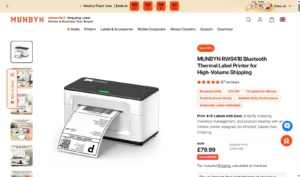
The MUNBYN RW941B provides many of the features a home-based or startup eCommerce business needs without requiring the investment associated with commercial Zebra or Brother machines.
Key Features:
- Technology: Direct thermal
- Resolution: 203dpi
- Printing speed: Up to 150mm/sec
- Output: Around 72 labels per minute
- Print width: 1.57 to 4.3 inches
- Connectivity: Bluetooth and USB
- 4 x 6 shipping labels: Supported
MUNBYN currently specifies 203dpi resolution and 150mm-per-second printing, with support for major shipping and sales platforms including Shopify, Etsy, eBay, Amazon and Royal Mail workflows.
Why Choose the MUNBYN RW941B?
It offers a useful balance between affordability, speed and wireless convenience.
Because it uses direct thermal printing, there are no ink cartridges to replace. Businesses only need to account for compatible label stock and normal printer wear.
Best for: Startups, home businesses and smaller eCommerce operations.
5. Brother TD-4420DN – Best for Busy Dispatch Desks
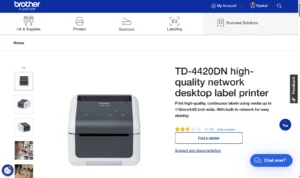
Businesses processing orders throughout the working day may need something more substantial than a basic home-office shipping printer.
The Brother TD-4420DN is designed for professional desktop label and receipt printing.
Key Features:
- Technology: Direct thermal
- Resolution: 203dpi
- Maximum print width: 104mm
- Maximum media width: 118mm
- Speed: Up to 8 inches or approximately 203mm per second
- Connectivity: USB, serial and Ethernet
Brother specifies print speeds of up to eight inches per second and supports continuous media up to 118mm wide.
Built-in Ethernet also means several systems can access the printer over a business network instead of relying on a single USB-connected computer.
Why Choose the Brother TD-4420DN?
It suits businesses that have moved beyond occasional parcel dispatch and now need a reliable shared printer at a packing or warehouse station.
Best for: Growing online retailers, warehouses, food companies and dispatch departments.
6. Brother QL-820NWBc – Best Wireless Everyday Label Printer
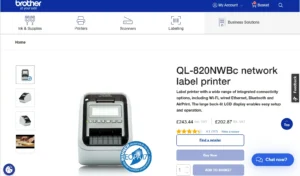
The Brother QL-820NWBc is a better option than the QL-800 when wireless connectivity is important.
It combines compact label printing with USB, Ethernet, Wi-Fi and Bluetooth connectivity.
Key Features:
- Technology: Direct thermal
- Maximum label width: 62mm
- Maximum print width: 60.96mm
- Speed: Up to 110 labels per minute
- Resolution: 300 x 300dpi
- High-resolution mode: 300 x 600dpi
- Bluetooth: 5.2
- Mobile compatibility: Yes
Brother rates the machine at up to 110 labels per minute or 176mm per second.
Why Choose the Brother QL-820NWBc?
It works particularly well where several employees need access to one label printer or where staff want to print from mobile devices.
However, its maximum 62mm label width still makes it unsuitable for conventional 4-inch shipping labels.
Best for: Shops, reception desks, offices, cafés and small business teams.
7. DYMO LabelWriter 550 Turbo – Best for Address and Mailing Labels
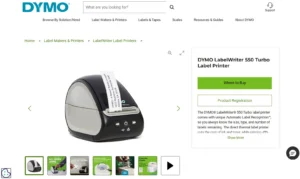
The DYMO LabelWriter 550 Turbo is designed primarily for businesses producing large quantities of smaller labels rather than full-width courier labels.
Key Features:
- Technology: Direct thermal
- Maximum print width: 2.4 inches
- Printing speed: Up to 90 labels per minute
- Connectivity: USB and LAN
- Automatic Label Recognition: Yes
- Ink or toner required: No
DYMO currently rates the 550 Turbo at 90 labels per minute, compared with 62 labels per minute for the standard LabelWriter 550.
Why Choose the DYMO LabelWriter 550 Turbo?
Its combination of network connectivity and fast narrow-label printing makes it useful for mailing rooms and offices processing significant quantities of correspondence.
For standard 10 x 15cm shipping labels, however, the wider DYMO LabelWriter 5XL is the better choice.
Best for: Address labels, filing labels, smaller barcodes and office mailing.
8. Phomemo M110 – Best Portable Label Printer
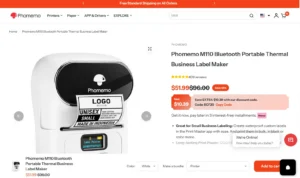
Not every small business needs a large desktop machine.
The Phomemo M110 is designed for compact labels used for prices, barcodes, product identification and inventory management.
Key Features:
- Technology: Direct thermal
- Resolution: 203dpi
- Maximum label width: Around 50mm
- Speed: Up to approximately 45mm/sec
- Connectivity: Bluetooth
- Mobile app support: Yes
- Portable design: Yes
Its small dimensions make it particularly useful for businesses where labels need to be created away from a fixed packing desk.
Why Choose the Phomemo M110?
It provides a simple portable option for businesses that mainly need small product, barcode or price labels.
Its limitation is obvious: it is not wide enough for standard large parcel labels.
Best for: Market traders, boutiques, craft businesses, jewellery sellers and stock management.
9. Epson ColorWorks CW-C4000e – Best Professional Colour Label Printer
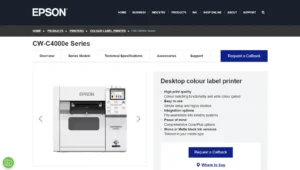
The Epson ColorWorks CW-C4000e is designed for an entirely different type of business requirement.
Rather than producing plain monochrome thermal labels, it prints professional full-colour product labels.
Key Features:
- Technology: PrecisionCore inkjet
- Maximum print width: 108mm
- Maximum printing speed: 100mm/sec
- Maximum resolution: 1,200 x 1,200dpi
- Automatic cutter: Included
- Individual ink cartridges: Yes
Epson currently lists the CW-C4000e at £1,788 including VAT in the UK. Its maximum print speed is 100mm per second at 300 x 600dpi, with printing widths of up to 108mm.
Why Choose the Epson ColorWorks CW-C4000e?
Businesses can print product labels as required instead of committing to large quantities from an external commercial printer.
Pigment inks also make it suitable for applications where labels may encounter moisture or frequent handling.
Best for: Food, drinks, cosmetics, candles, supplements and premium retail products.
10. Primera LX600 – Best for High-Resolution Short-Run Product Labels
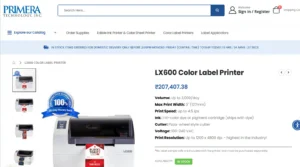
The Primera LX600 is another option for businesses that want professional colour product labels in-house.
It is a newer and more capable choice than the older Primera LX500.
Key Features:
- Technology: Thermal inkjet
- Maximum print width: 127mm
- Printing speed: Up to 114mm/sec
- Maximum resolution: 1,200 x 4,800dpi
- Dye and pigment ink options: Yes
- Recommended volume: Up to approximately 3,000 labels per day
Primera specifies a five-inch maximum print width and printing speeds of up to 4.5 inches or 114mm per second.
Why Choose the Primera LX600?
Its high resolution makes it particularly attractive when label appearance is central to the product.
It can handle photographs, detailed illustrations, branding and small text more effectively than an ordinary thermal machine.
Best for: Artisan foods, beverages, cosmetics, gifts and other premium products.
11. Afinia L502 – Best for Wide and Durable Colour Labels
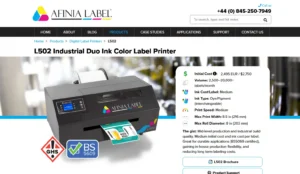
Businesses requiring significantly wider full-colour labels should consider the Afinia L502.
It sits closer to an industrial label-production machine than the compact thermal printers elsewhere in this list.
Key Features:
- Technology: HP thermal inkjet
- Maximum print width: 8.5 inches or approximately 216mm
- Resolution: Up to 4,800dpi
- Speed: Approximately 132mm/sec under stated test conditions
- Ink: Interchangeable dye or pigment options
- Connectivity: USB and Ethernet
Afinia positions the L502 for approximately 2,500 to 20,000-plus labels per month. It supports separate CMYK cartridges and a maximum print width of 8.5 inches.
Its pigment system can also be used for highly durable applications, including qualified BS 5609-compliant label configurations.
Why Choose the Afinia L502?
It makes more sense for an established small manufacturer than a business printing a handful of labels every week.
Its ability to handle wider media also provides greater flexibility for bottles, boxes, containers and industrial packaging.
Best for: Product manufacturers, beverage businesses, chemical companies and businesses needing wider colour labels.
12. Brother PT-D610BT – Best for Office and Asset Labelling
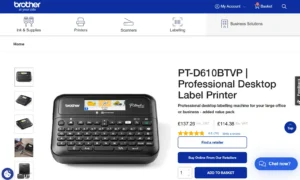
The Brother PT-D610BT is designed for durable workplace identification rather than parcel shipping.
It uses Brother TZe laminated tapes and provides both a built-in keyboard and computer or mobile connectivity.
Key Features:
- Technology: Thermal transfer
- Maximum tape width: 24mm
- Speed: Up to 30mm/sec
- Connectivity: USB and Bluetooth 5.0
- Keyboard: QWERTY
- Automatic cutter: Yes
- Supported tape widths: 3.5mm to 24mm
Brother confirms a 30mm-per-second print speed and support for tapes up to 24mm wide.
Why Choose the Brother PT-D610BT?
Laminated labels are useful where durability matters more than printing large quantities quickly.
Typical uses include equipment identification, shelving, storage boxes, electrical cables, filing systems and IT assets.
Best for: Offices, workshops, warehouses, IT teams and facilities management.
Which Type of Label Printer Is Best for Your Business?
Before comparing brands, decide which printing technology fits the labels your business actually needs.
Direct Thermal Printers
Direct thermal printers create the printed image by applying heat to specially coated labels.
They are particularly suitable for:
- Shipping labels
- Address labels
- Short-term barcode labels
- Temporary inventory labels
- Order identification
They do not require ink or toner, which keeps maintenance relatively simple.
The main disadvantage is label longevity. Direct thermal prints can deteriorate when repeatedly exposed to heat, sunlight or certain environmental conditions.
Thermal Transfer Printers
Thermal transfer printers use heat and a ribbon to transfer the printed image onto the label.
They are generally better where labels need to remain readable for longer periods.
Common applications include:
- Asset labels
- Warehouse identification
- Equipment labels
- Long-term barcodes
- Product tracking
The Zebra ZD421 is available in both direct thermal and thermal transfer configurations.
Colour Inkjet Label Printers
Colour inkjet machines are designed for businesses where the label forms part of the product presentation.
They can print:
- Brand colours
- Photographs
- Product illustrations
- Ingredients
- Nutritional information
- Barcodes
- Variable product details
The main trade-off is cost. Inkjet label printers require ink and suitable media, making their running costs higher than ordinary direct thermal printers.
How to Choose the Best Label Printer for a Small Business?
Check Your Required Label Size
This should be the first decision.
A 62mm label printer might be perfect for address labels but completely unsuitable if your courier requires 10 x 15cm shipping labels.
Check the dimensions required by your courier, marketplace, inventory system or packaging before choosing a printer.
Consider Your Daily Printing Volume
A home-based business printing 20 orders each day does not need the same equipment as a company dispatching 500 or 1,000 parcels.
Lower-volume businesses can often use affordable desktop models. Higher-volume operations should prioritise print speed, reliability, media capacity and commercial-grade construction.
Look at Connectivity
Depending on your workflow, you may require:
- USB
- Ethernet
- Wi-Fi
- Bluetooth
- Smartphone printing
- Tablet printing
A single-person business may only need USB. A warehouse with several packing stations could benefit considerably from Ethernet or wireless access.
Check Software Compatibility
Before purchasing, check that the printer works with the computers, apps and platforms already used within the business.
Particular attention should be paid to:
- Windows compatibility
- macOS compatibility
- Android and iOS support
- Royal Mail workflows
- Shopify
- Amazon
- Etsy
- eBay
- Courier software
Compatibility can differ between printer configurations even when the basic hardware appears similar.
Calculate the Cost Per Label
Do not judge a printer purely by its purchase price.
Consider:
- Label-roll costs
- Ink costs
- Thermal transfer ribbons
- Replacement printheads
- Maintenance components
- Proprietary media requirements
A printer that costs £50 less initially can become much more expensive if compatible labels cost considerably more over several years.
Consider Print Resolution
For normal shipping labels, 203dpi is generally sufficient.
Businesses printing very small barcodes, tiny text or detailed graphics may benefit from 300dpi or higher resolutions.
Full-colour product printers can offer much higher resolutions because image quality is central to their purpose.
What Is the Best Label Printer for an eCommerce Small Business?
For a smaller online seller, the MUNBYN RW941B is an attractive entry-level option because it supports 4 x 6 labels, Bluetooth and USB without requiring ink.
The DYMO LabelWriter 5XL is another straightforward option aimed specifically at wider shipping labels.
Businesses experiencing higher order volumes may find the Brother TD-4420DN or Zebra ZD421 better suited to long-term commercial use.
What Is the Best Label Printer for Product Packaging?
If you need colourful branding rather than monochrome shipping labels, choose a dedicated colour inkjet machine.
The Epson ColorWorks CW-C4000e provides a strong balance between professional output and desktop size.
The Primera LX600 is particularly suited to premium short-run labels, while the wider Afinia L502 becomes more attractive where larger labels, greater volumes or more durable pigment output are required.
Best Label Printers for Small Businesses Compared
| Label Printer | Best For | Technology | Maximum Print Width | Maximum Speed |
| Brother QL-800 | Best overall everyday printer | Direct thermal | 58mm | 93 labels/min |
| Zebra ZD421 | High-volume shipping | Direct thermal/thermal transfer | 104–106mm | 152mm/sec |
| DYMO LabelWriter 5XL | eCommerce shipping labels | Direct thermal | 4 inches | 53 labels/min |
| MUNBYN RW941B | Budget shipping labels | Direct thermal | Up to 4.3 inches | 150mm/sec |
| Brother TD-4420DN | Busy dispatch desks | Direct thermal | 104mm | 203mm/sec |
| Brother QL-820NWBc | Wireless business use | Direct thermal | 60.96mm | 110 labels/min |
| DYMO LabelWriter 550 Turbo | Address and mailing labels | Direct thermal | 2.4 inches | 90 labels/min |
| Phomemo M110 | Portable price and stock labels | Direct thermal | Approx. 50mm | 45mm/sec |
| Epson ColorWorks CW-C4000e | Professional colour labels | Inkjet | 108mm | 100mm/sec |
| Primera LX600 | Premium short-run labels | Inkjet | 127mm | 114mm/sec |
| Afinia L502 | Wide colour product labels | Inkjet | 216mm | Approx. 132mm/sec |
| Brother PT-D610BT | Office and asset labels | Thermal transfer | 24mm tape | 30mm/sec |
Conclusion
The best label printer for a small business depends much more on the type of label being produced than on headline printing speed.
For everyday narrow labels, the Brother QL-800 is a strong all-round option. For shipping, the MUNBYN RW941B and DYMO LabelWriter 5XL suit smaller businesses, while the Zebra ZD421 and Brother TD-4420DN are better positioned for growing commercial workloads.
Businesses producing branded packaging should look beyond thermal printers entirely. The Epson ColorWorks CW-C4000e, Primera LX600 and Afinia L502 provide full-colour capabilities designed for professional product labels.
Before purchasing, confirm the required label size, expected daily volume, device compatibility and ongoing consumable cost. Those four factors will usually make the right choice much clearer.
Frequently Asked Questions
What Is the Best Label Printer for Small Business Use?
The Brother QL-800 is one of the best general-purpose options for smaller labels. Businesses printing 4 x 6 shipping labels should instead consider models such as the MUNBYN RW941B, DYMO 5XL, Zebra ZD421 or Brother TD-4420DN.
What Is the Best Label Printer for Shipping Labels?
For lower-volume shipping, the MUNBYN RW941B and DYMO LabelWriter 5XL are convenient choices. Higher-volume businesses may benefit from the Zebra ZD421 or Brother TD-4420DN.
Do Label Printers Need Ink?
Direct thermal label printers do not require ink or toner. Thermal transfer machines use ribbons, while full-colour inkjet label printers require ink cartridges.
Are Thermal Label Printers Worth It for Small Businesses?
Yes. Businesses regularly printing shipping labels, barcodes or address labels can reduce the need for ink, toner and ordinary printer paper by switching to a dedicated thermal printer.
Can a Label Printer Print Royal Mail Shipping Labels?
Many 4-inch thermal printers can be used to print shipping labels generated through Royal Mail-compatible shipping software. Check the required label dimensions and printer compatibility before purchasing.
Can Thermal Printers Print in Colour?
Most direct thermal shipping printers produce monochrome labels. Businesses requiring full-colour product branding should consider a dedicated inkjet label printer such as the Epson ColorWorks CW-C4000e or Primera LX600.
How Much Does a Good Label Printer Cost?
Entry-level thermal printers can cost under £100, while professional desktop shipping printers commonly cost several hundred pounds. Full-colour commercial label printers can cost well above £1,000, depending on print width, volume and features.
Is the Zebra GK420d Still a Good Choice in 2026?
It can still be used where businesses already own one, but it is an older discontinued model and is no longer the best choice for a new purchase. The Zebra ZD421 is the more appropriate current-generation option.